
GuideGuide
We're happy to welcome you to the guide section. Here, our team has strived to explain the most frequently used sections of the site in the simplest and most understandable way possible. In this section, you'll be able to clearly understand how to register, open a deposit, withdraw funds, save your wallet, and much more.
We're constantly updating this section with new examples and step-by-step instructions. If you encounter any difficulties using the site and don't find the information you need here, you can always contact our support team, where we'll do our best to resolve any issue as quickly as possible. Sincerely, the Arbilife team.

Step-by-step instructions
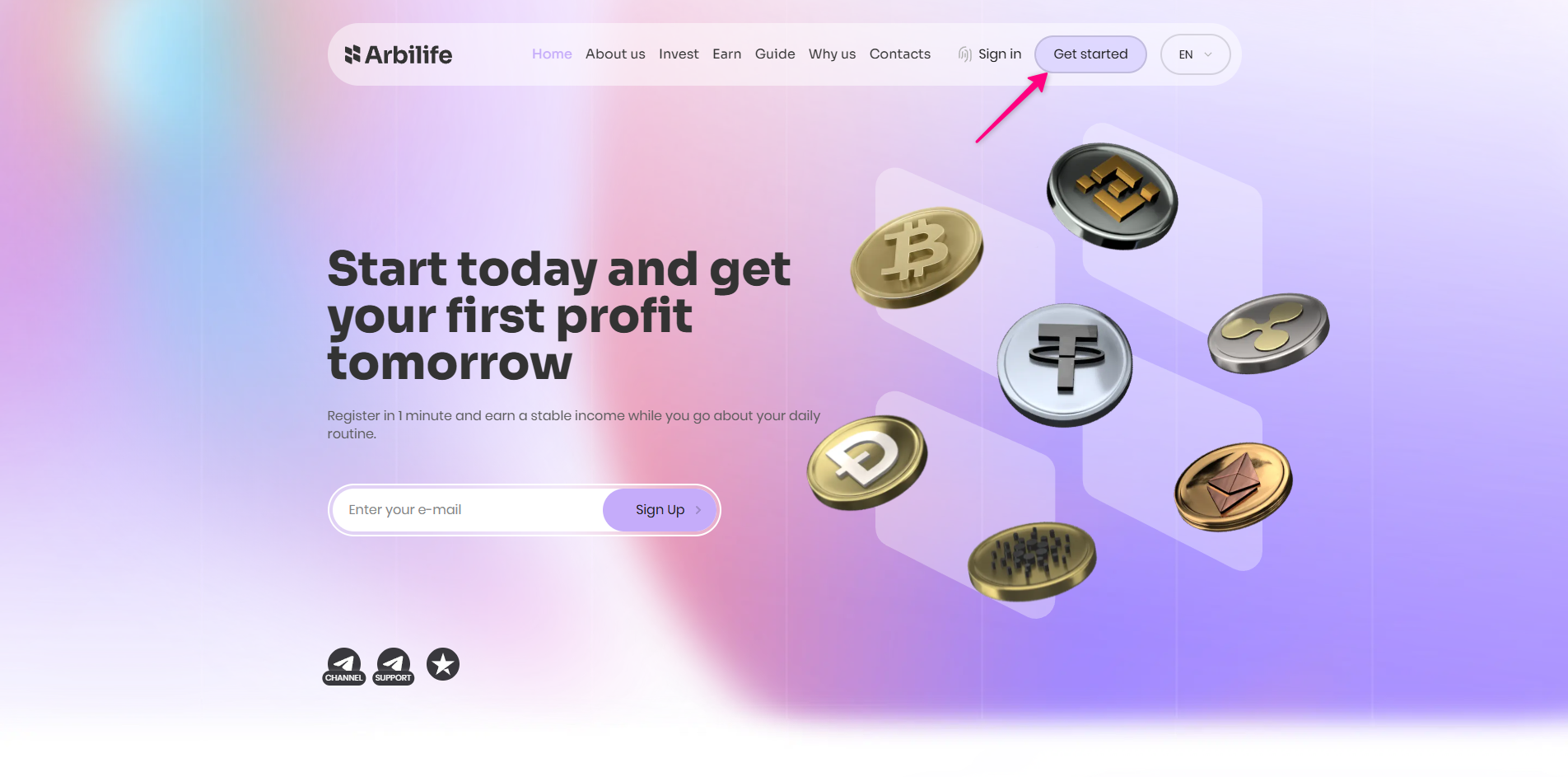
Click the Get Started button.
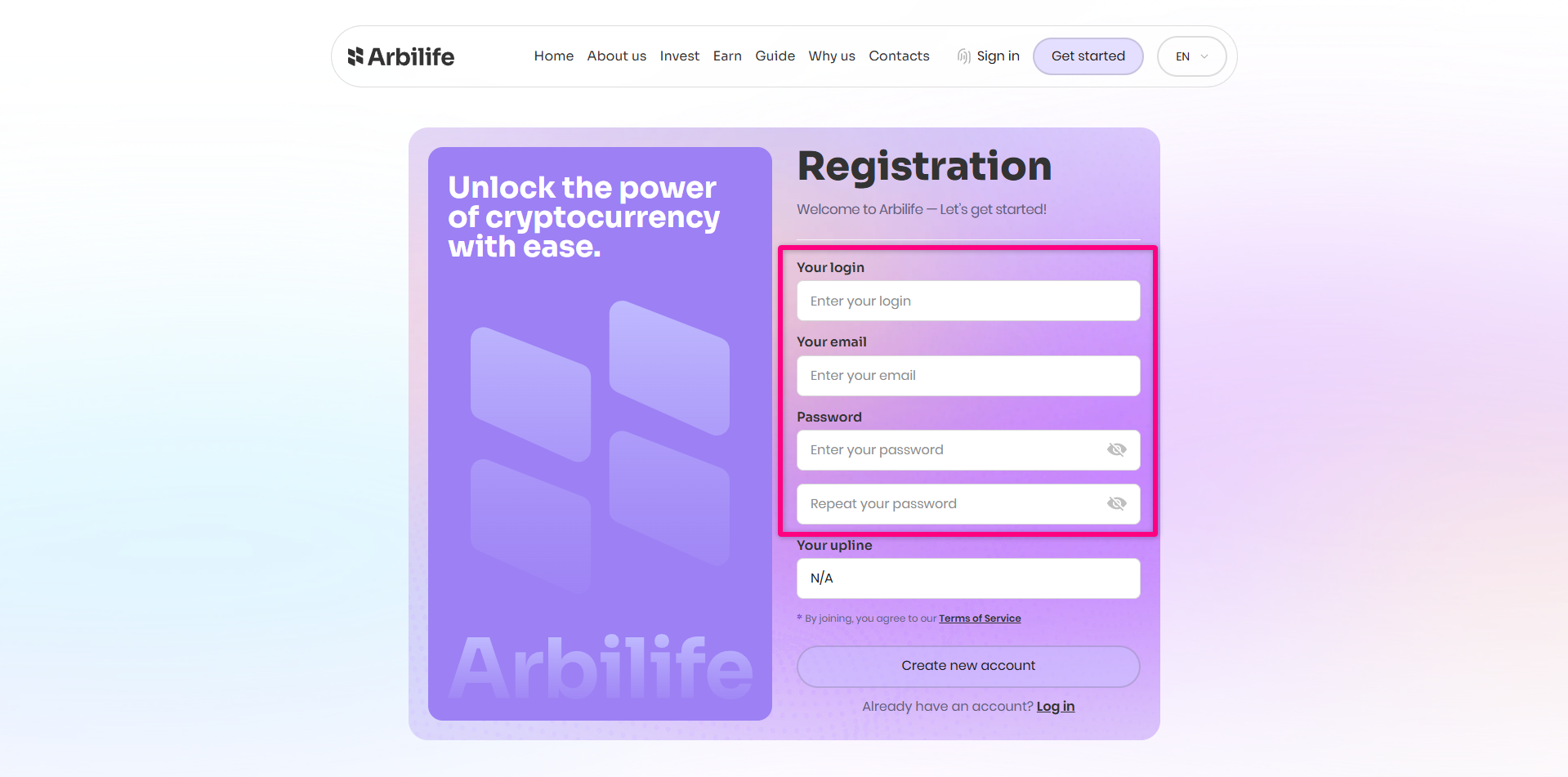
Please complete all required fields. Choose a username, enter your email address, and create a password.If you are registering via a referral link, please ensure you check / verify the “Your Upline” field.
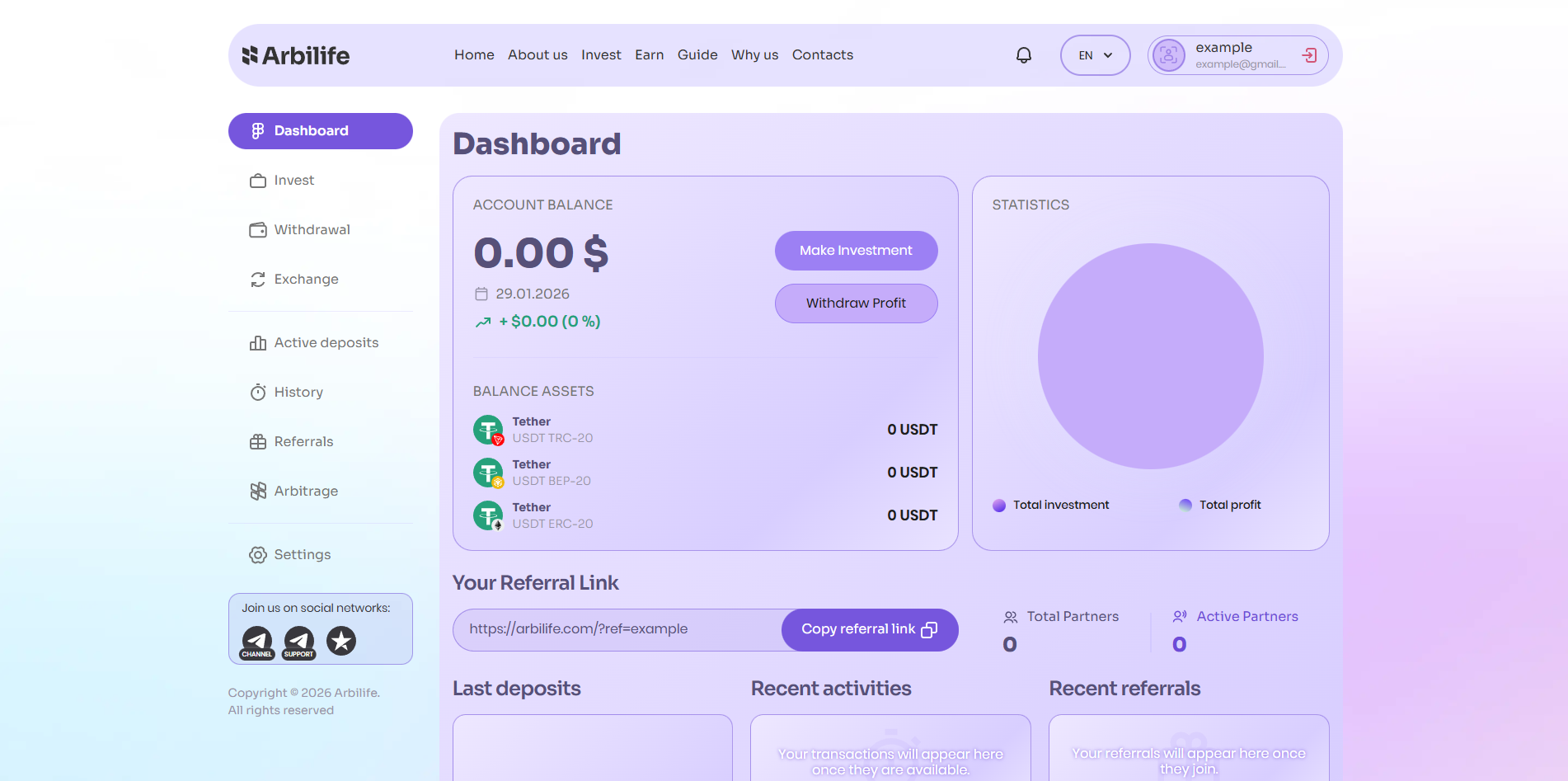
Once registration is successful, you will be taken to your personal dashboard / account.
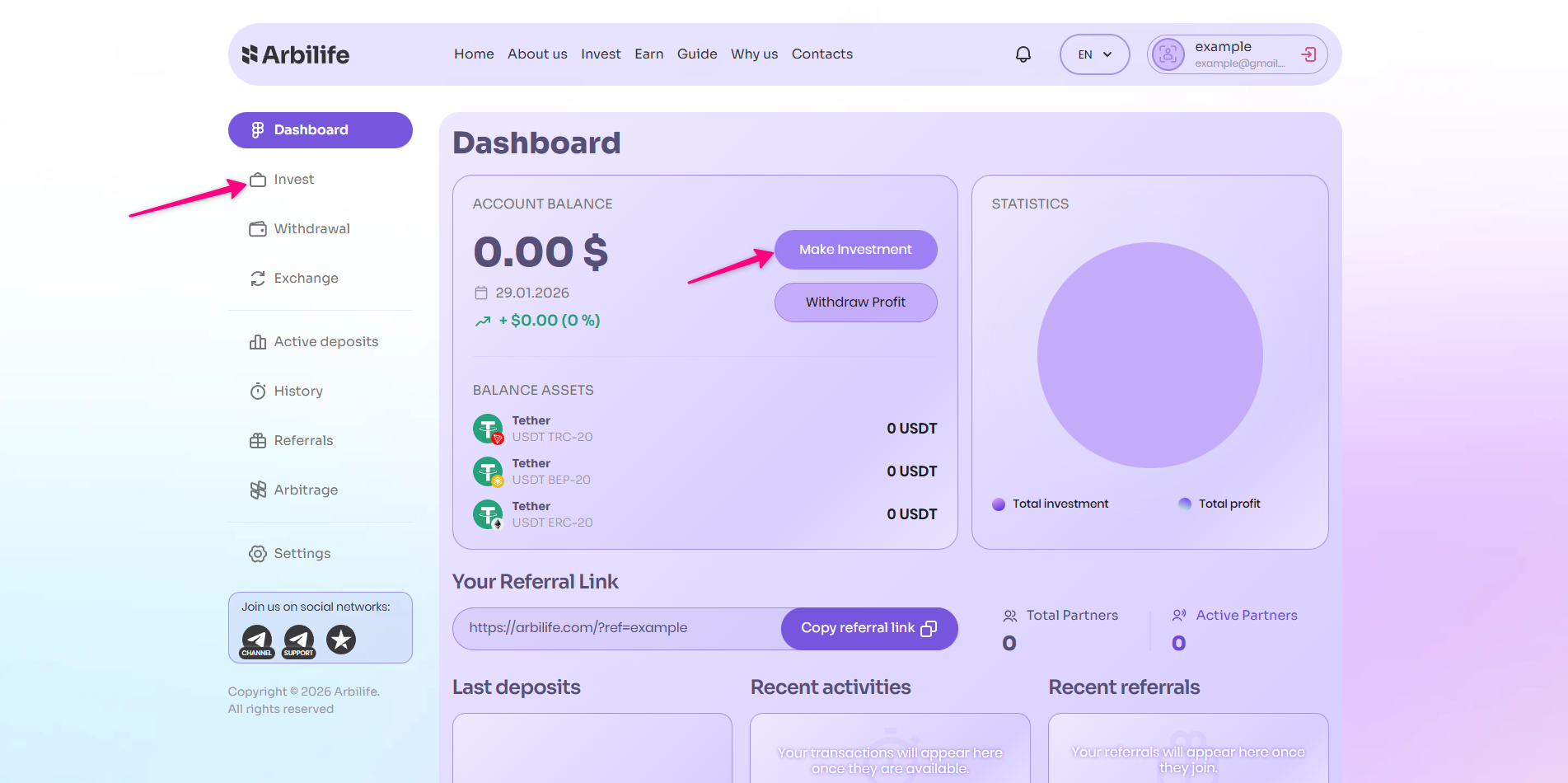
Click the “Invest” or “Make Investment” button.
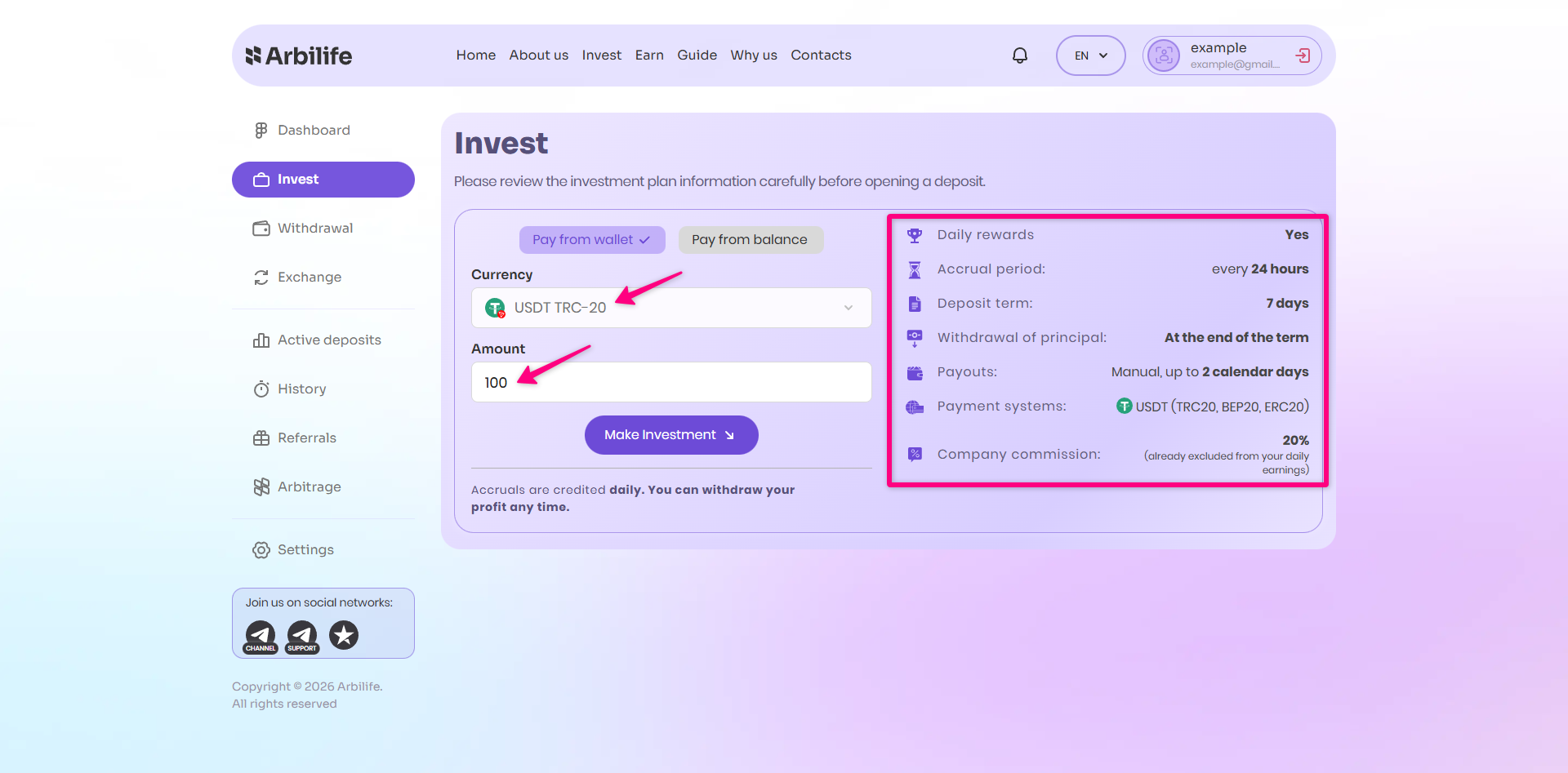
Review the terms of the investment plan carefully. Select your preferred payment method, enter the desired amount, and click “Make Investment”.
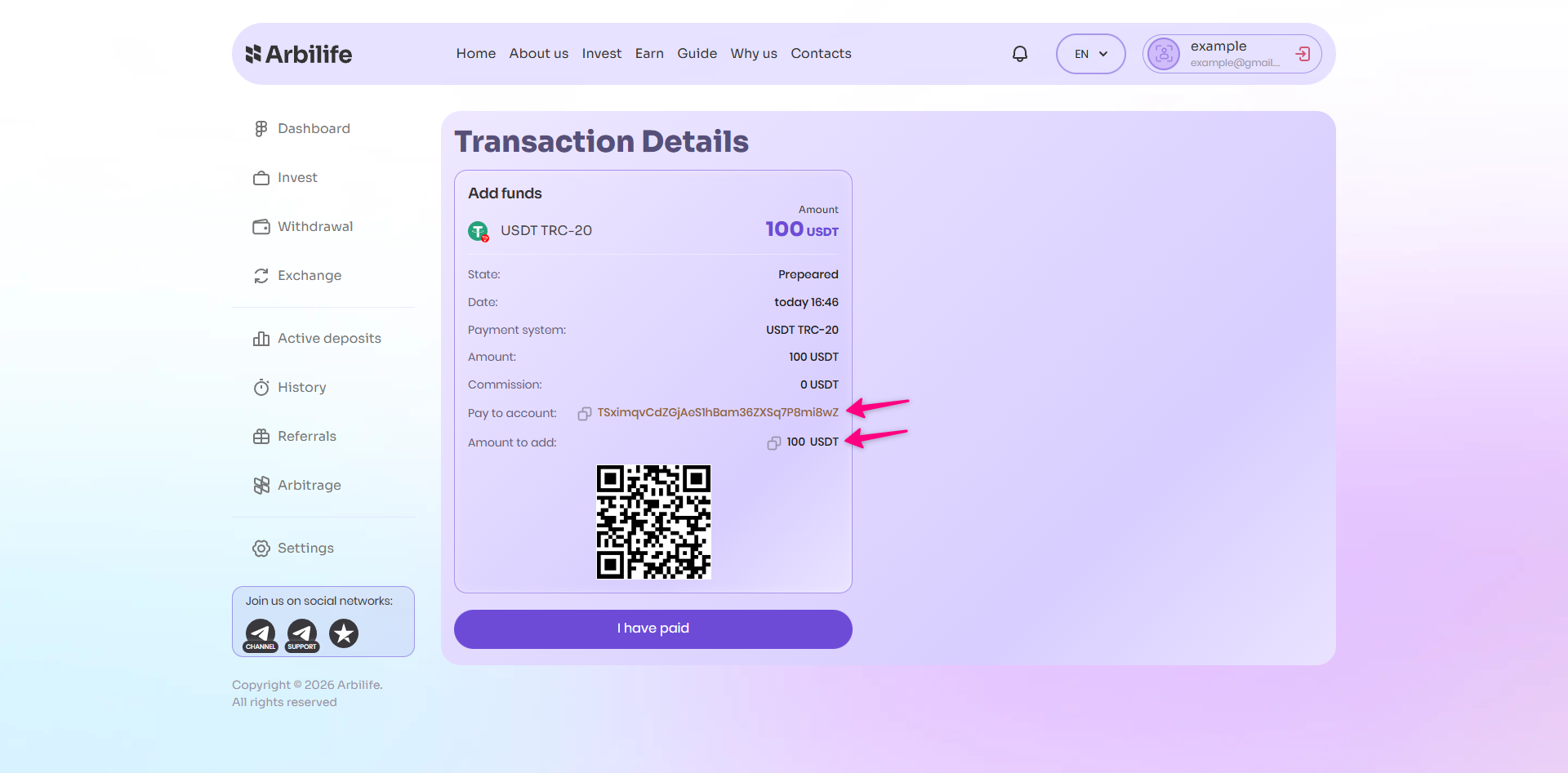
Double-check all details before proceeding with payment. Copy the wallet address provided and transfer the exact amount shown. Once the funds have been sent, click the “I have paid” button to confirm.
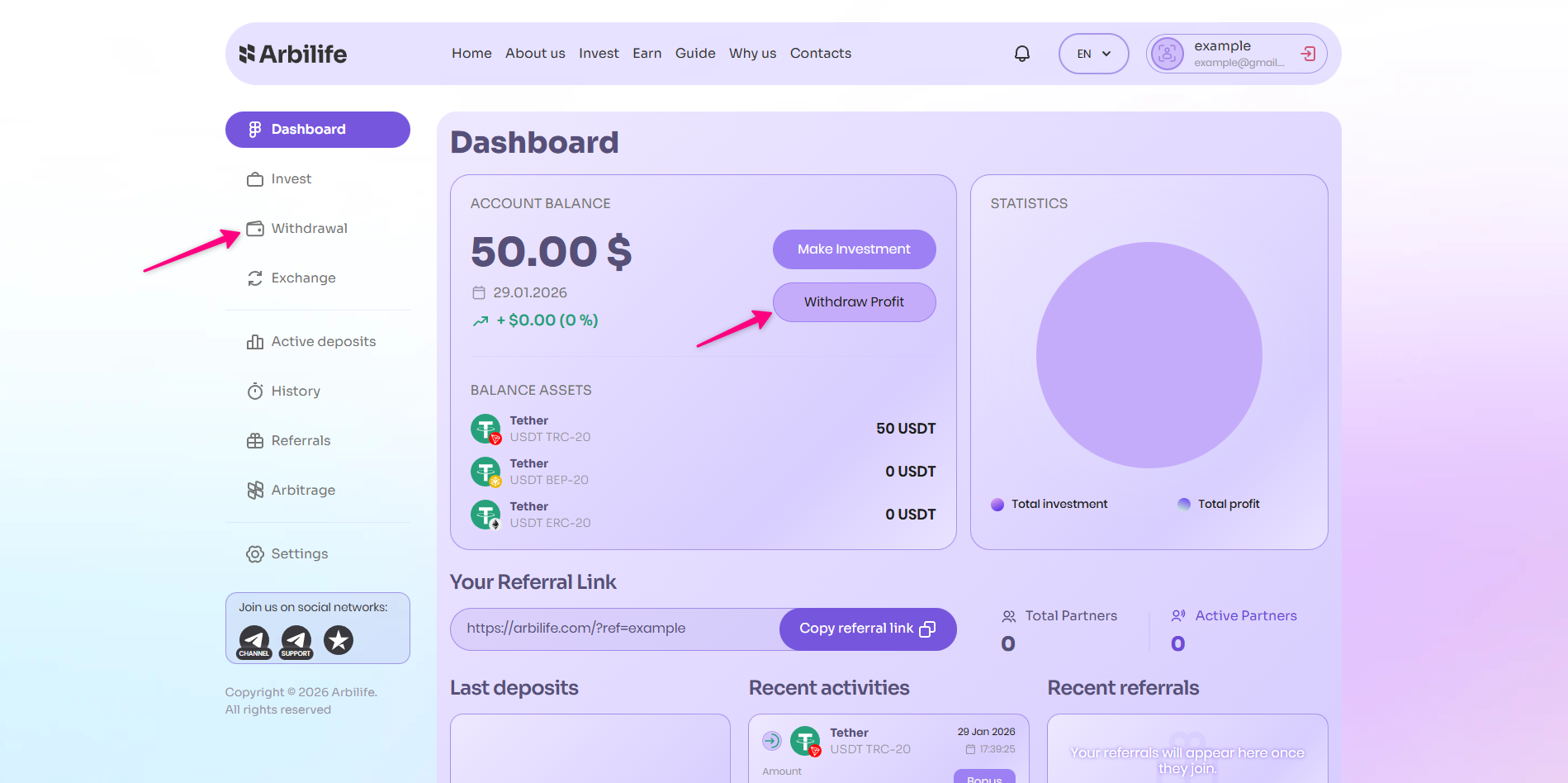
Click the “Withdraw Profit” or “Withdrawal” button.
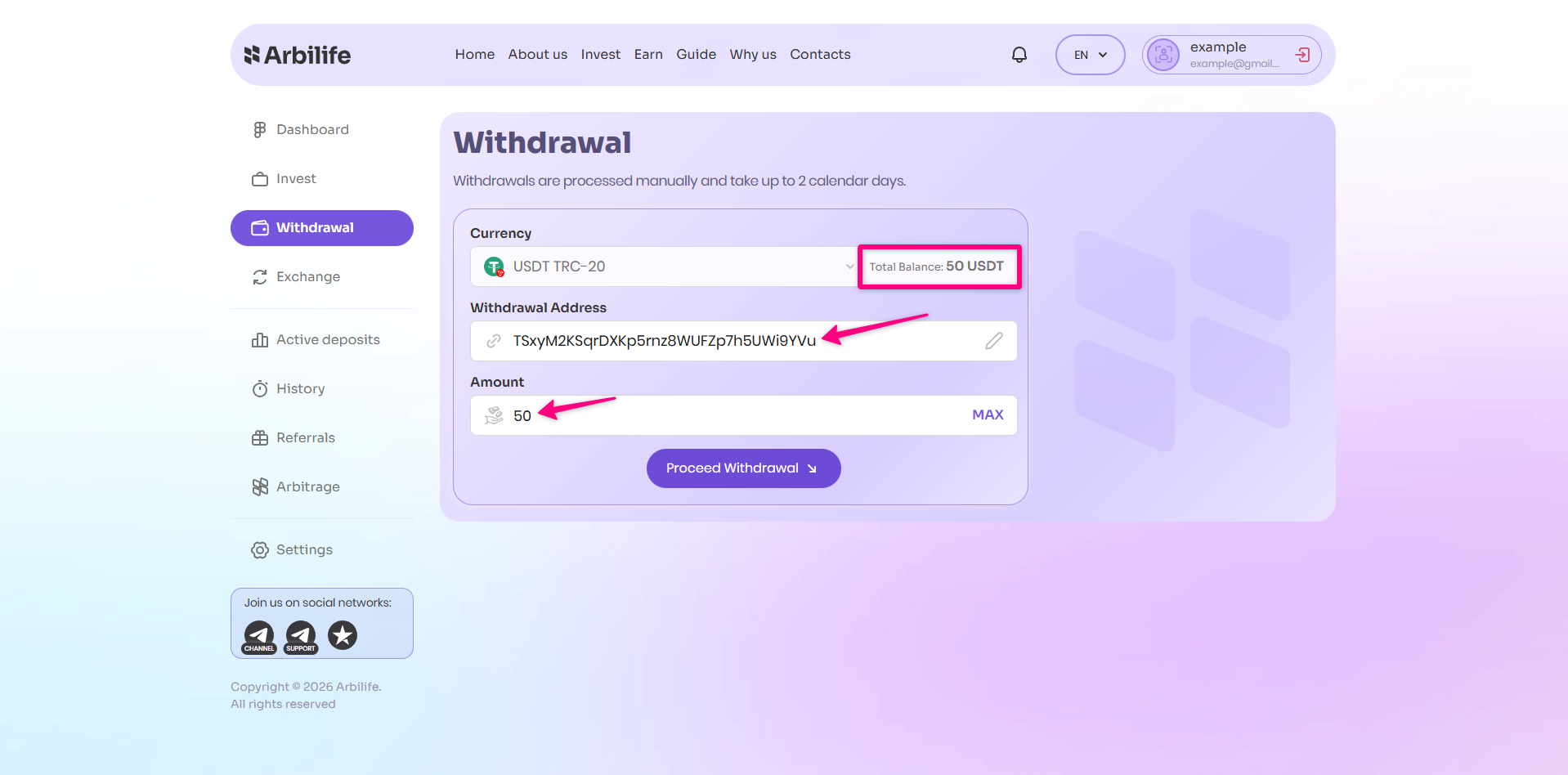
Here you can view the amount available for withdrawal. Select your preferred payment method. If necessary, save/update your wallet details. Enter the amount you wish to withdraw. Then click the “Proceed Withdrawal” button.
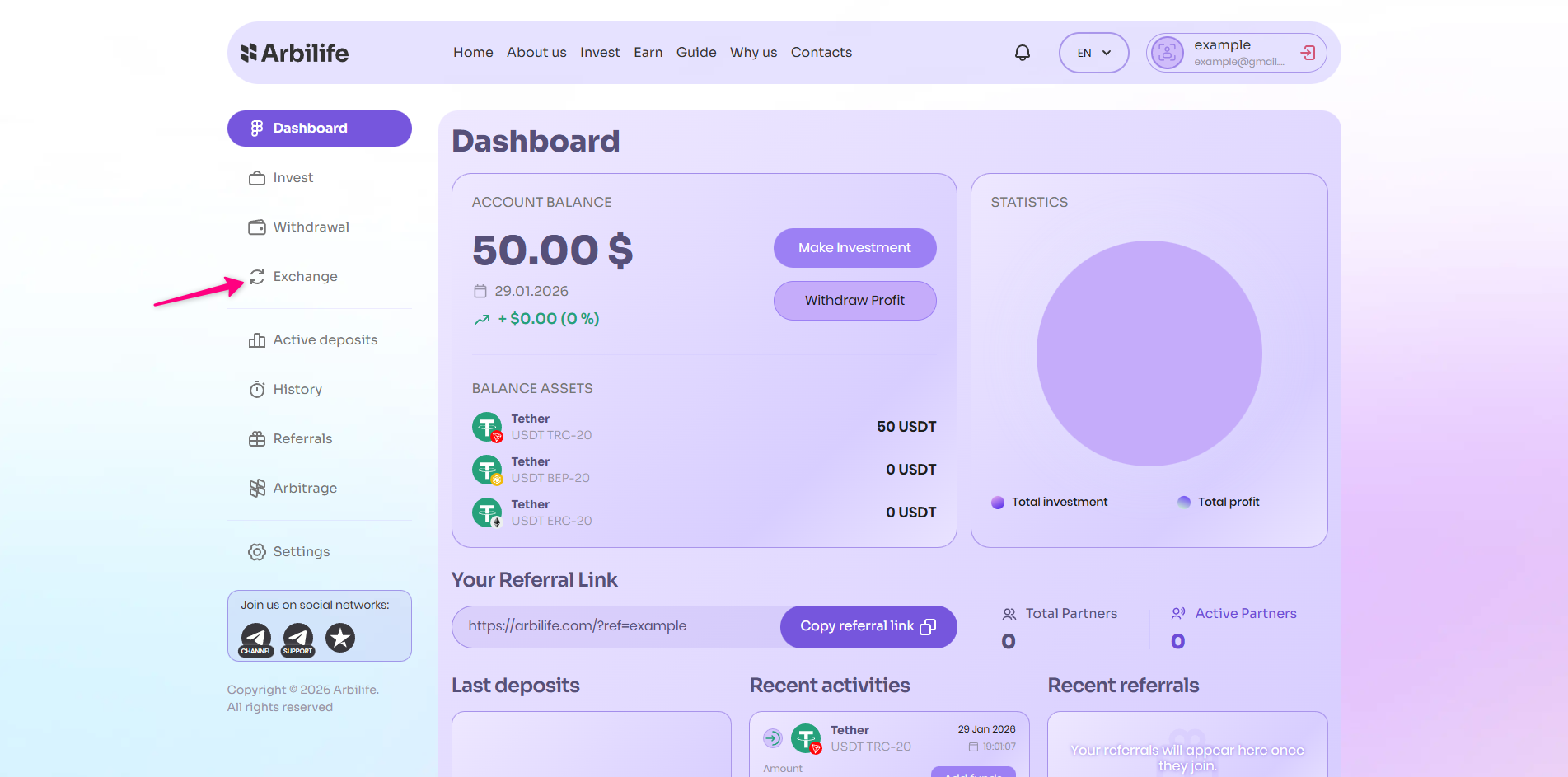
Navigate to the “Exchange” section.
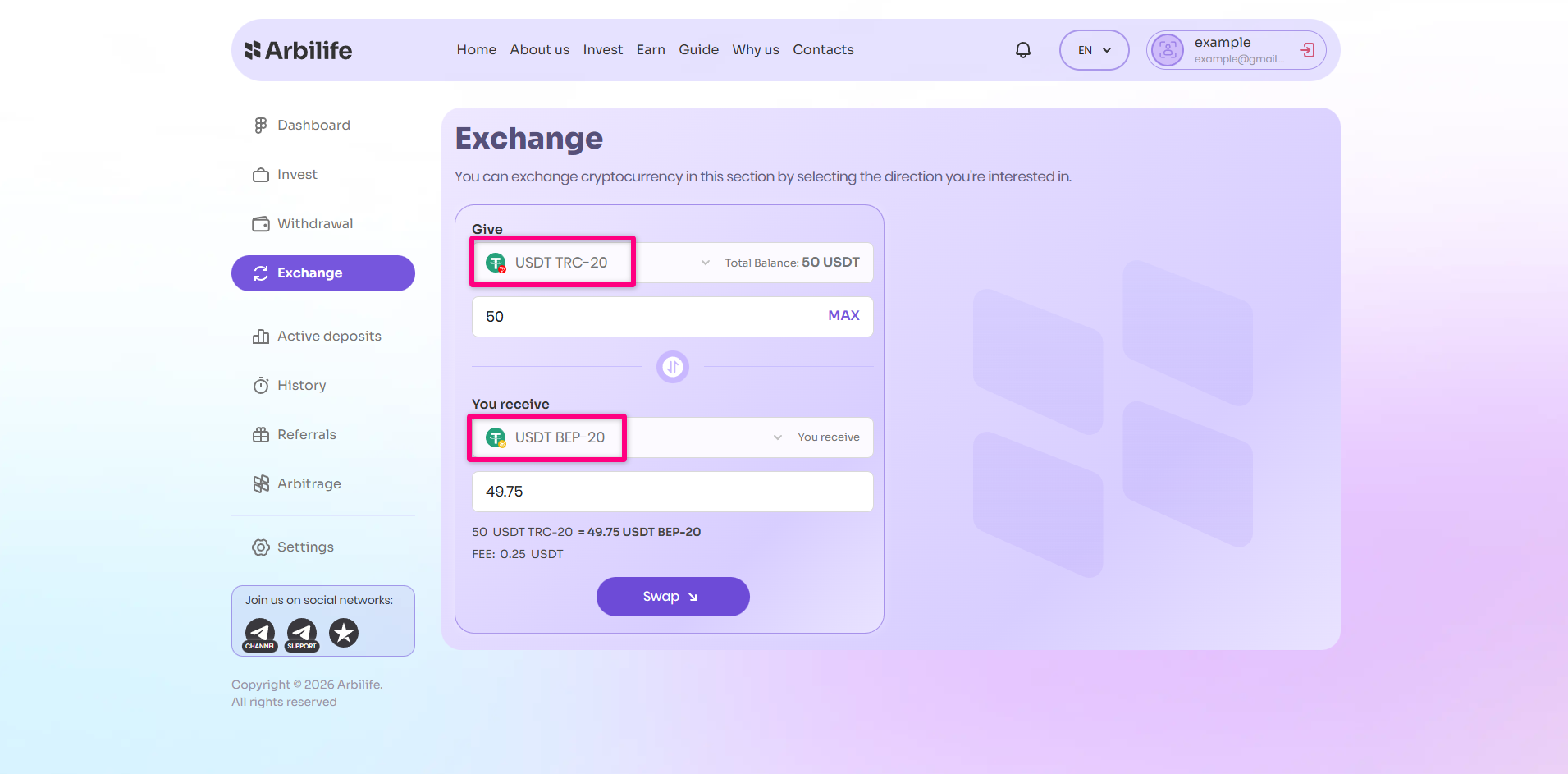
In the “Give” / “You Send” area: Select the payment method and currency you wish to exchange. In the “You Receive” area: Choose the desired payment method / currency for receipt. The exchange fee is 0.5%. Once you have reviewed the details, click the “Swap” button. Carefully verify all information displayed
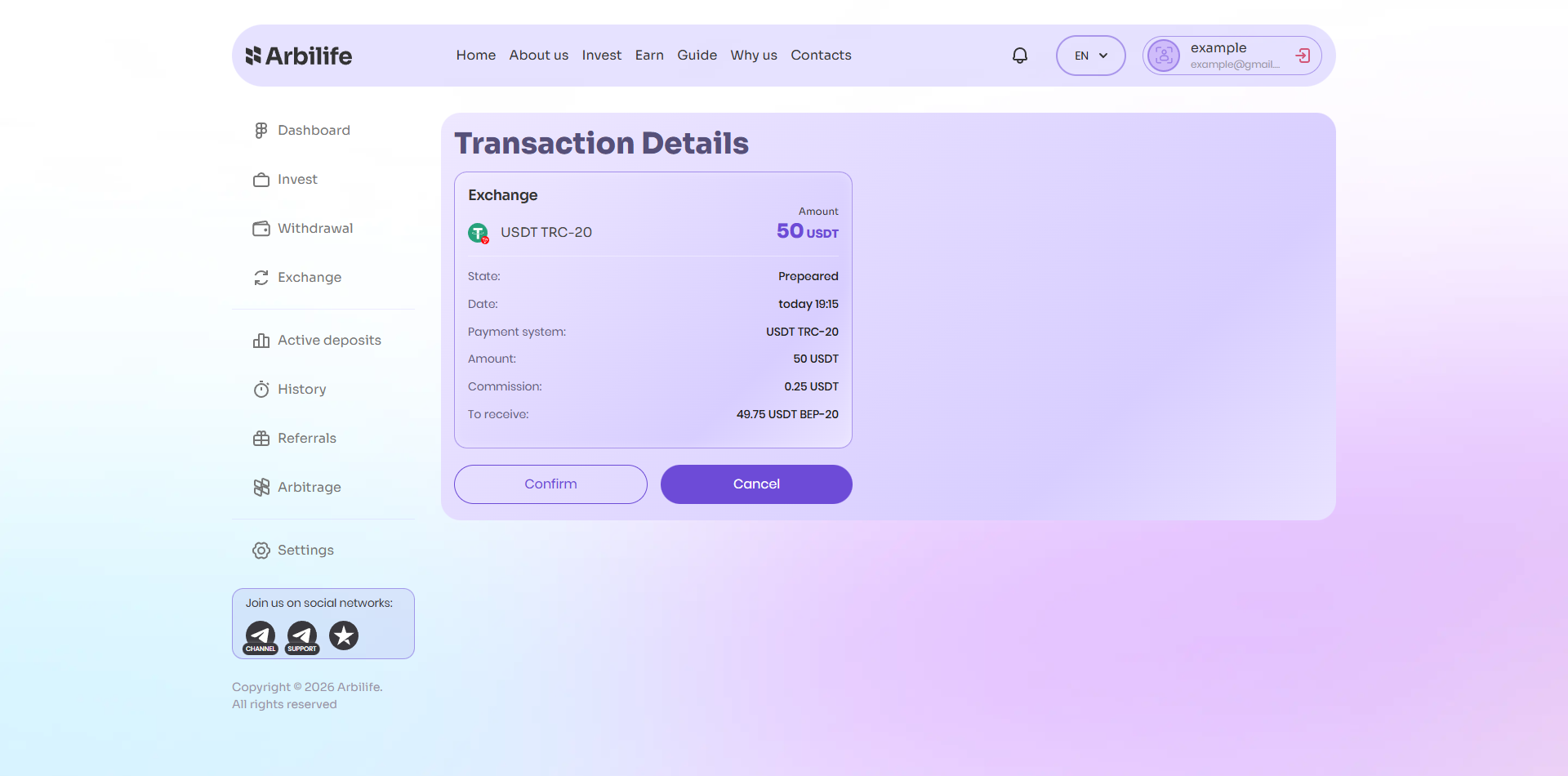
Then click “Confirm” to proceed with the exchange.